Driving Licence Download – DL Download & Print DL PDF
To access you driving license go to digital platforms and check it. Through DigiLocker, mParivahan app or the Sarathi Parivahan portal download your digital license. Digital licence is valid and accepted by traffic police and official purposes. We’ll guide you in simple steps to download and print your driving license.
Process to Download Driving Licence
Through two methods you can download driving licence in PDF format. Follow these details and complete this process:
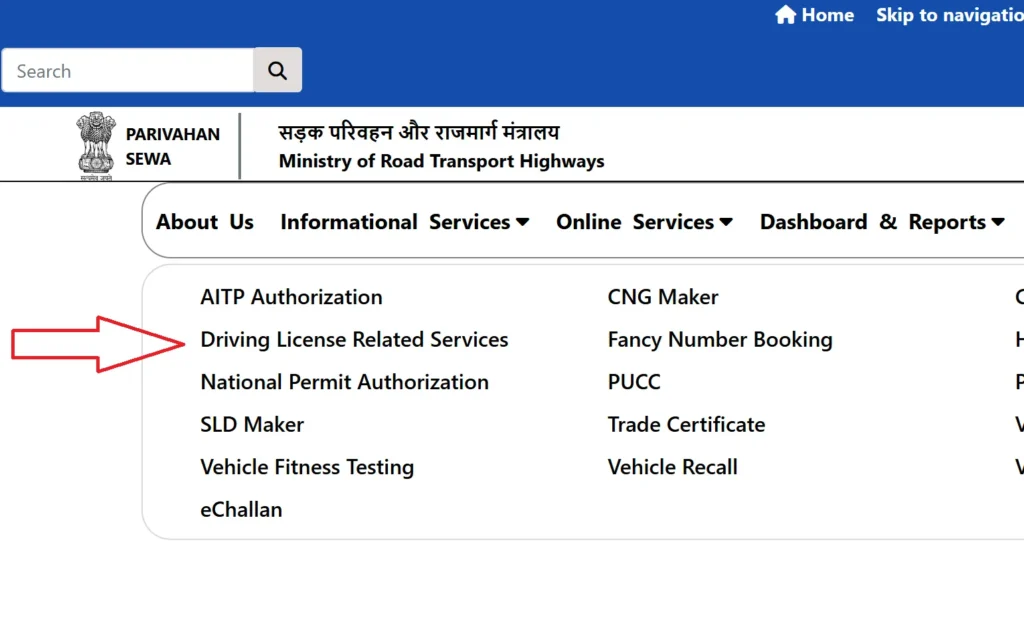
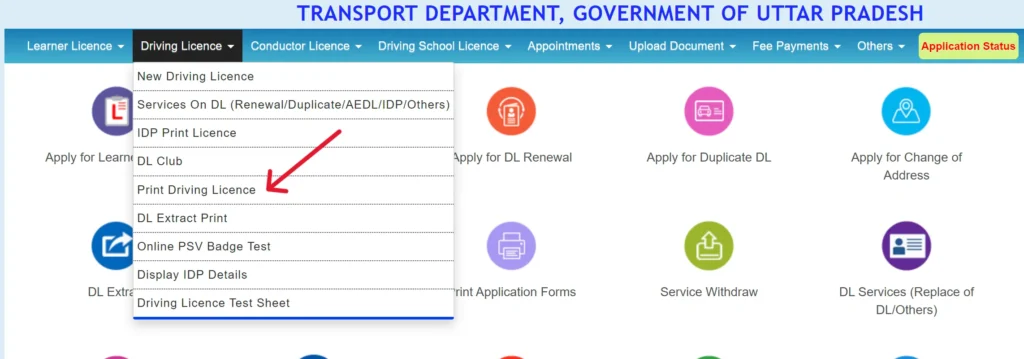
Download Driving Licence from Sarathi Parivahan Service Portal
Sarathi Parivahan Service Portal provide services related to driving licences and other transport launched by Government of India. Download the digital copy of your driving licence follow these steps:

Driving License Download from DigiLocker
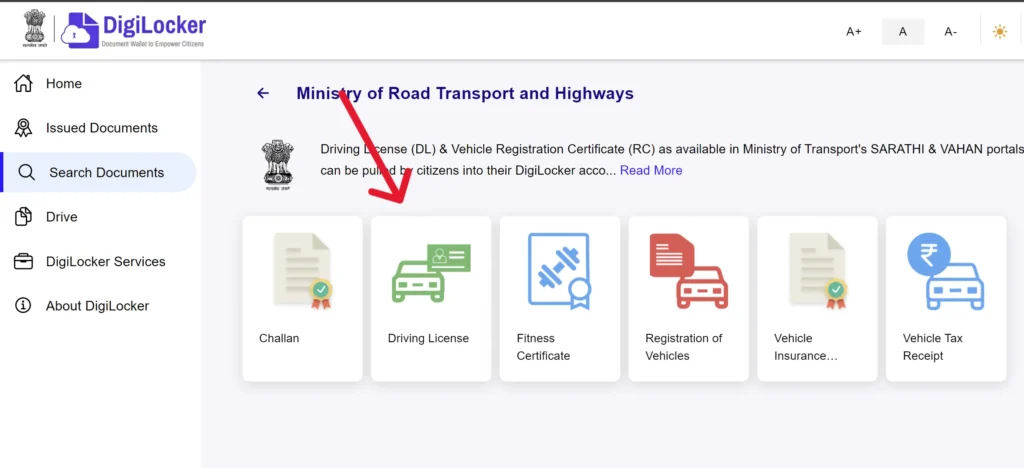
In DigiLocker portal ड्राइविंग लाइसेंस डाउनलोड, Aadhaar and PAN cards it is official Indian digital platform. DigiLocker digital driving license is valid.
Requirements:
- Name
- Date of Birth
- Blood Group
- Father’s Name
- Address
- Driving Licence Number
- RTO
- Issue Date
- Validity Expiry Date
- Permitted Vehicle Categories
Note
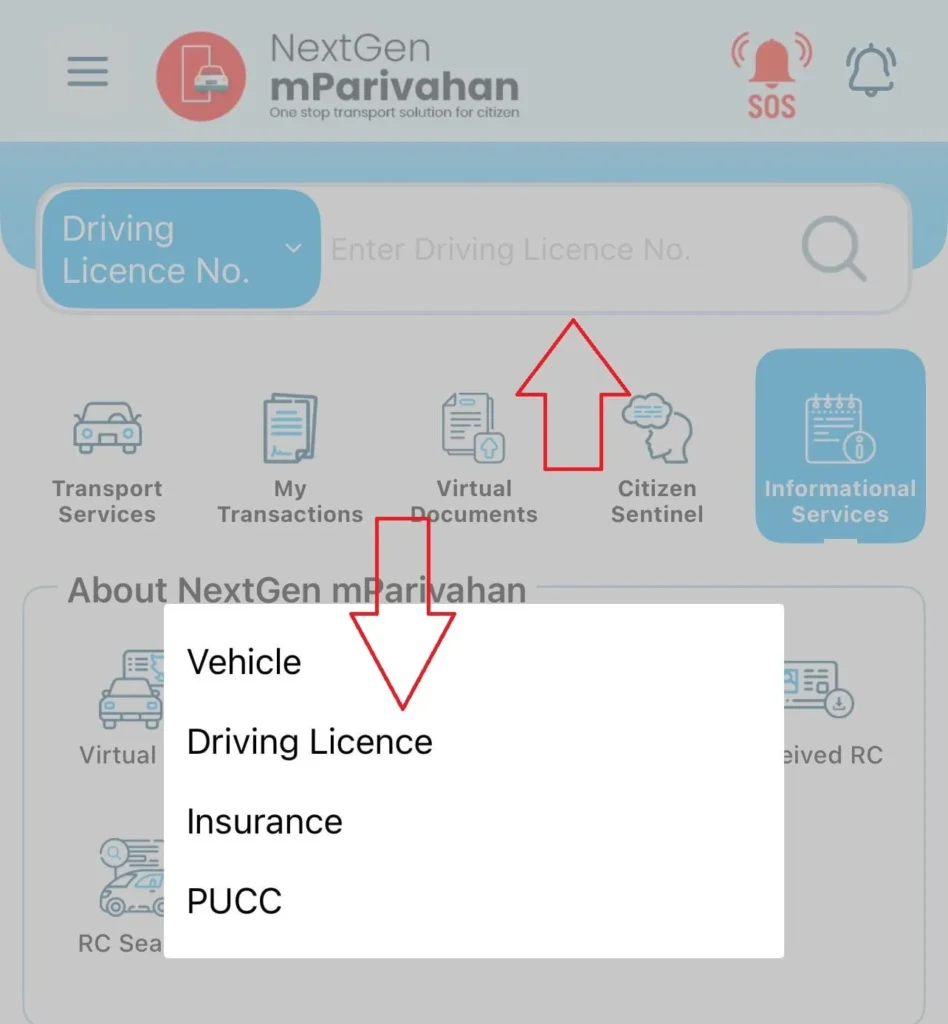
Enter your driving license number in mParivahan app and get your DL.
Download Driving Licence via mParivahan App
Requirements
- Valid DL number
- Registered mobile number
- Internet connection
Note
- Virtual DL in mParivahan is legally valid in India.
- For physical DL forms, visit https://sarathi.parivahan.gov.in/.
- Ensure details match your official DL to avoid errors.
Features
| Feature | Details |
|---|---|
| Security Features | Encrypted QR codes, scannable for instant verification, reducing fraud risks. |
| Offline Access | Download on DigiLocker/mParivahan for internet-free access, ideal for remote areas. |
| Multi-Device Sync | Sync DLs across devices via DigiLocker with the same registered mobile number. |
| Renewal Alerts | mParivahan app sends DL renewal reminders to avoid expiry issues. |
| Language Support | Sarathi Parivahan/DigiLocker support multiple regional languages for ease. |
| File Size | DL PDFs under 1 MB, easy to store and share. |
| Backup Recommendation | Save DL PDFs on secure cloud storage/external drives to prevent loss. |
| Verification Process | Traffic police use QR scanners; keep app/PDF accessible for checks. |